To Donate via Zeffy
using your credit or debit card
or bank account
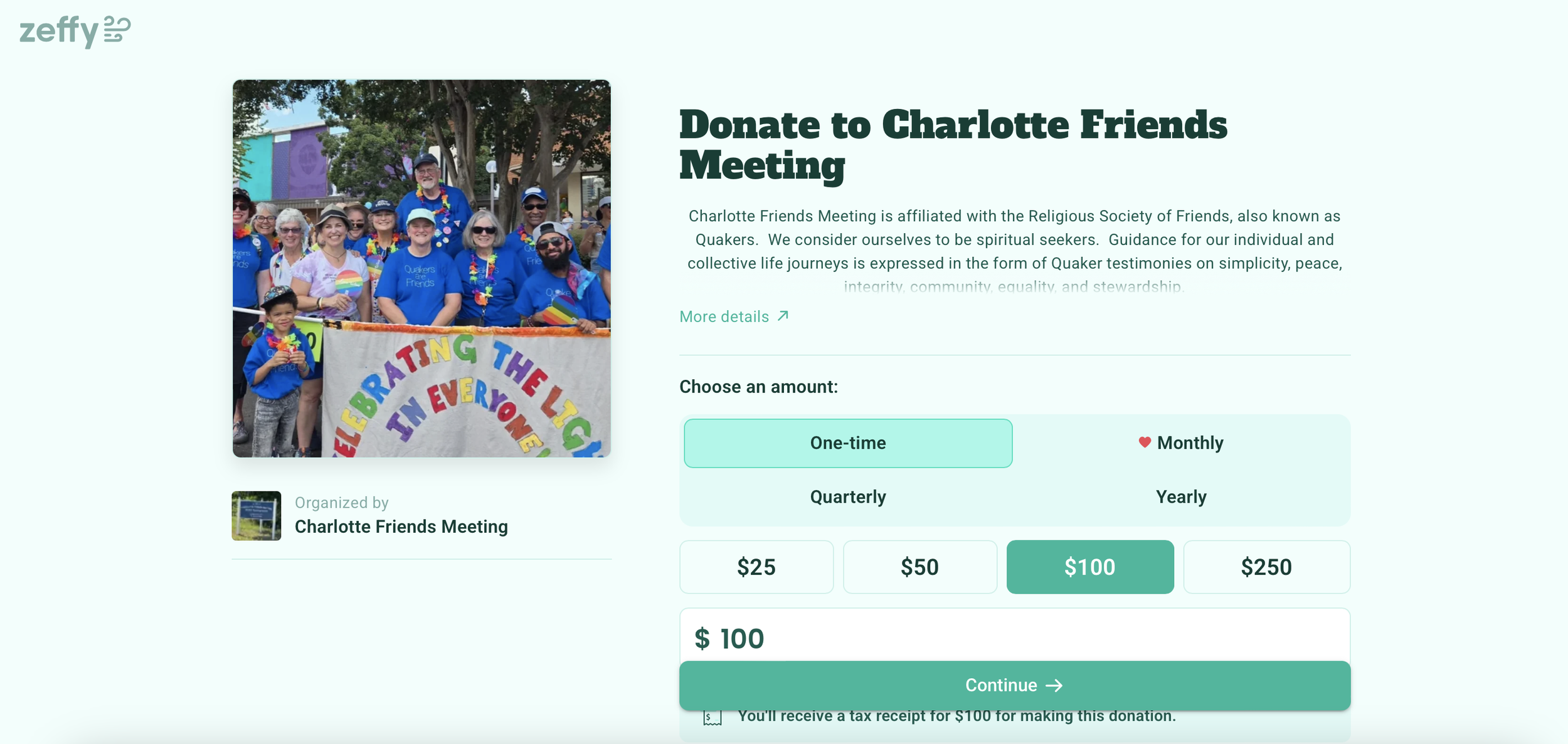
To donate via Zeffy, click the above link. You will be sent to the Zeffy webpage where you will be prompted to indicate the amount of your donation to Meeting.
When you click Continue, you will be sent to a second page.
Fill in your contact information.
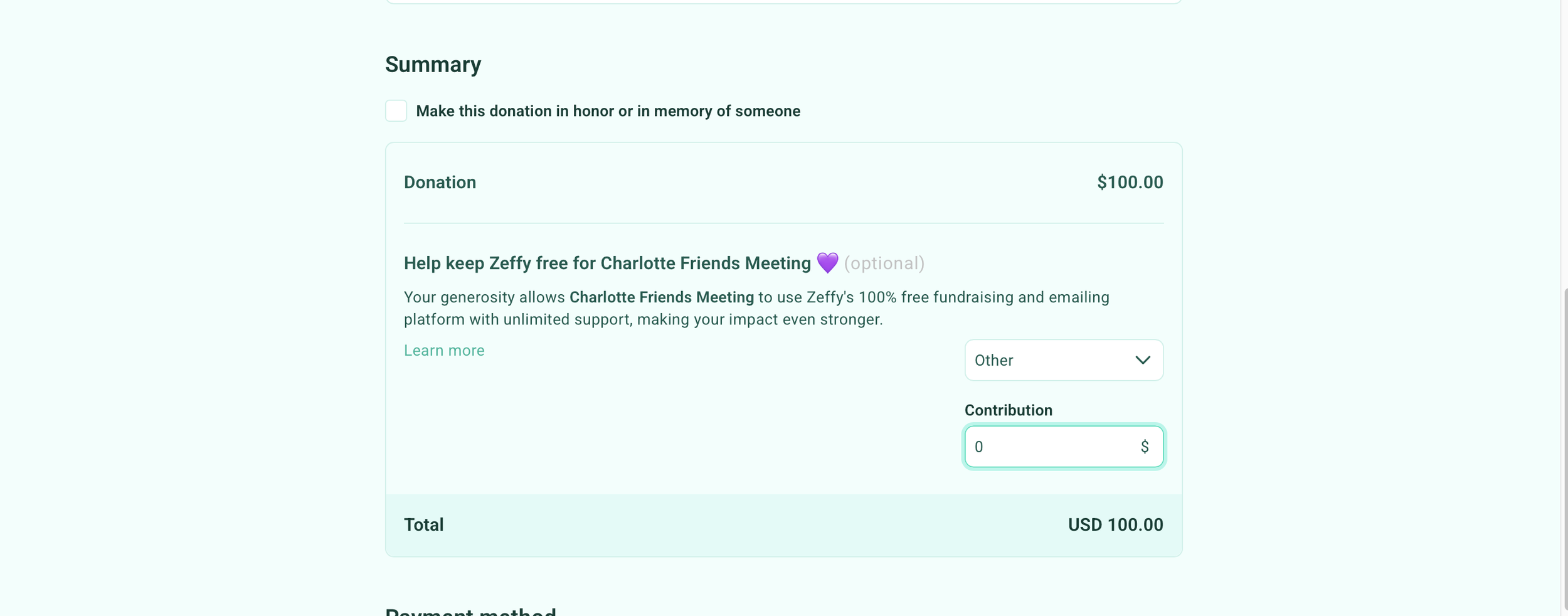
Halfway down the second page under Summary (before Payment Method), you will be prompted to indicate how much you want to donate to Zeffy itself. See Note below!
Once you had filled in the second page, make sure you click Donate to finish the donation process.
The CFM Treasurer will be notified that a donation has been made.
Please note:
Zeffy does NOT charge CFM a fee to receive donations.
Instead, Zeffy offers donors the option to support the Zeffy platform itself. You do NOT need to donate to Zeffy in order to make a donation to the Meeting.
However, Zeffy requires that you enter a dollar amount in the “Summary” section. If you do NOT want to donate to Zeffy, simply enter 0.
To do this - under “Summary,” click the pull-down icon next to the percentage amount, select “Other,” and then enter 0.